Tu servicio, ahora se ve
Para transportistas escolares
Lo que ya hacés bien, a la vista de las familias. Cargás el recorrido una vez, manejás con la próxima parada siempre arriba, y los avisos y las ausencias van y vienen solos.
Te contesta una persona, no un formulario.
Entrás a una empresa de ejemplo, sin registrarte. Se reinicia sola.
Funcionalidades
Herramientas para ayudarte a gestionar tus rutas y construir confianza con las familias
Tu recorrido, cargado una sola vez
Paradas, pasajeros e instituciones en una pantalla. La app calcula el orden y la hora de cada parada, y el recorrido se repite solo los días que elijas.
Tu recorrido, cargado una sola vez
Paradas, pasajeros e instituciones en una pantalla. La app calcula el orden y la hora de cada parada, y el recorrido se repite solo los días que elijas.
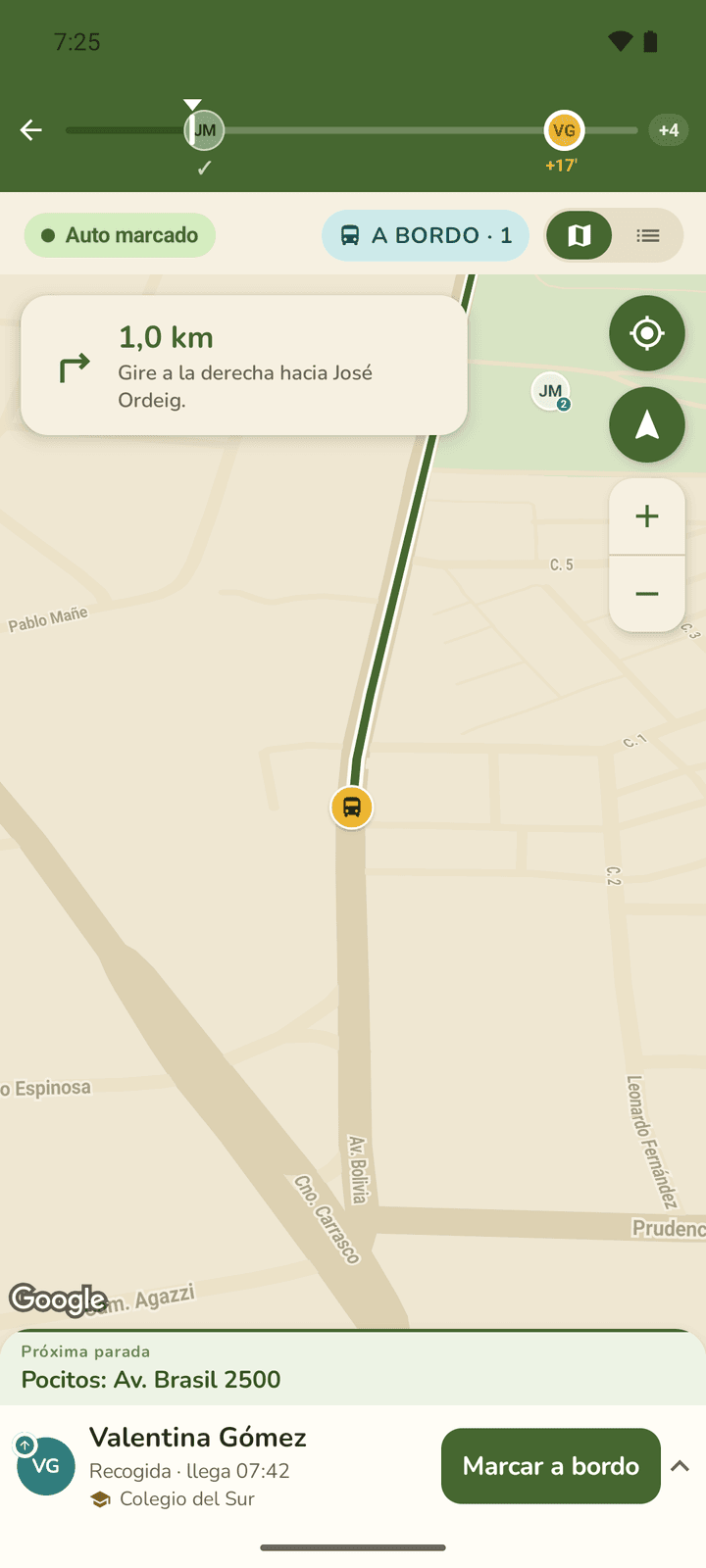
El viaje en curso, con la próxima parada siempre a mano
Navegación integrada, la parada actual fija abajo y un toque para marcar quién subió. Las familias ven la camioneta llegar y vos no escribís nada.
Ver la pantalla paso a pasoEl viaje en curso, con la próxima parada siempre a mano
Navegación integrada, la parada actual fija abajo y un toque para marcar quién subió. Las familias ven la camioneta llegar y vos no escribís nada.
Ver la pantalla paso a pasoHorarios que se cumplen
La app calcula la hora de cada parada con el tránsito del momento. Si el colegio abre a las 8 en punto o una familia necesita una hora exacta, la fijás en esa parada y el resto del recorrido se acomoda. Cuánto parás en cada una también se puede ajustar.
Cómo se fijan los horarios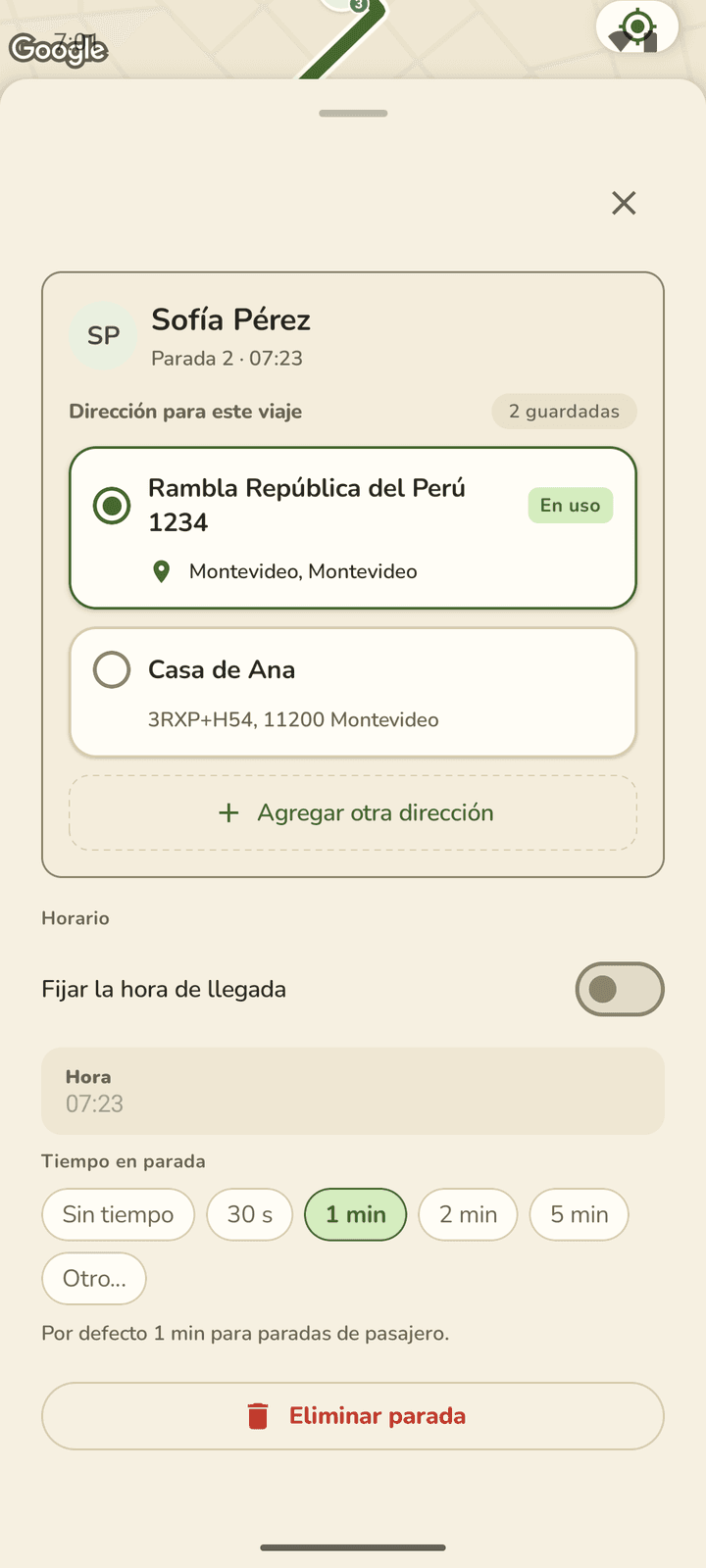
Horarios que se cumplen
La app calcula la hora de cada parada con el tránsito del momento. Si el colegio abre a las 8 en punto o una familia necesita una hora exacta, la fijás en esa parada y el resto del recorrido se acomoda. Cuánto parás en cada una también se puede ajustar.
Cómo se fijan los horariosLas ausencias te llegan solas
Cuando una familia avisa que hoy no viaja, te llega como alerta, atada al pasajero y al día, y la parada se descuenta del recorrido.
Las ausencias te llegan solas
Cuando una familia avisa que hoy no viaja, te llega como alerta, atada al pasajero y al día, y la parada se descuenta del recorrido.
Hablá con el equipo de Vanu
Somos tres y atendemos nosotros. Si querés probar Vanu, tenés una duda o algo no te cierra, escribinos: te contesta una persona.