Para familias
Dónde está y a qué hora llega. Te avisa sola. Avisar que hoy no viaja: dos toques.
Hay app para Android y para iPhone, y también funciona desde el navegador. Se entra por invitación de tu transportista.
Funcionalidades
Todo lo que necesitás para un transporte escolar seguro
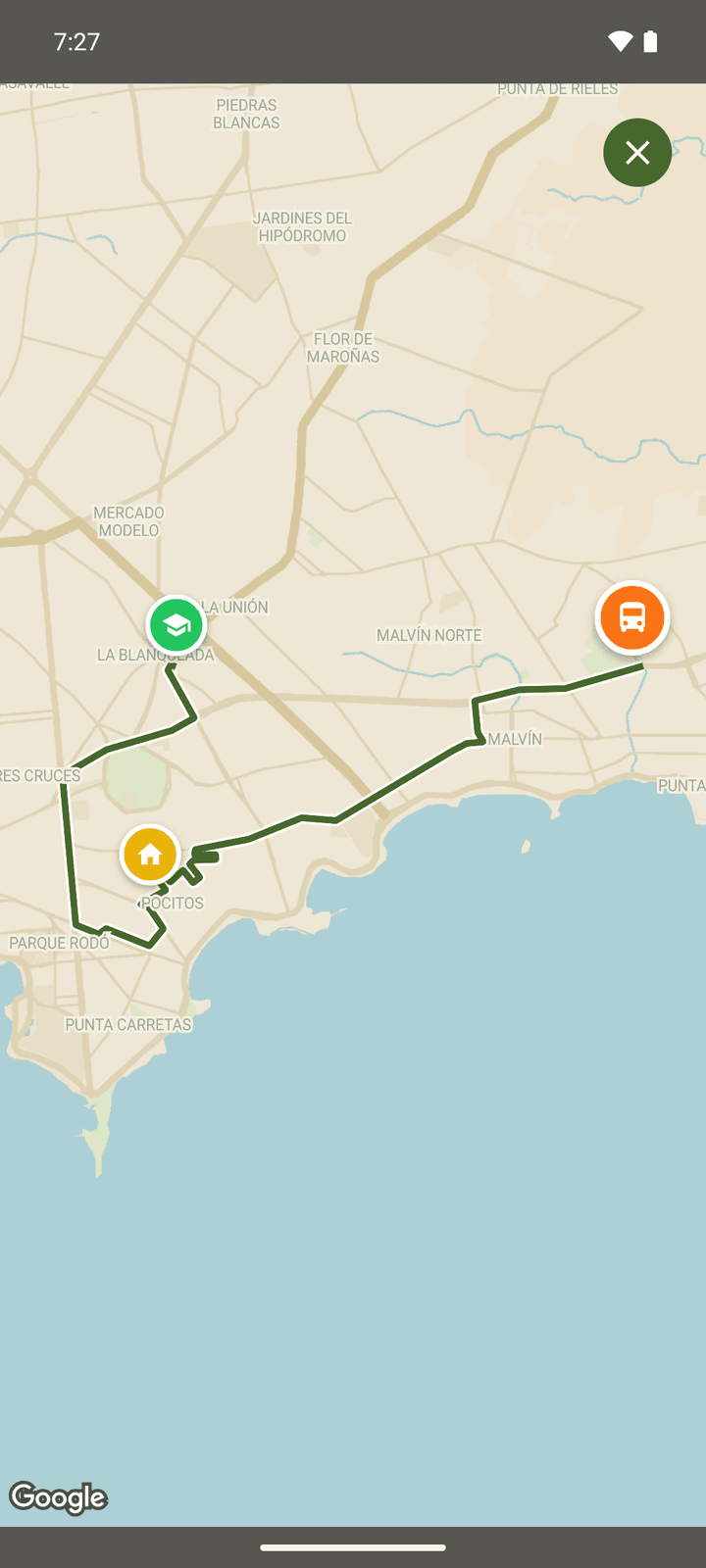
Seguí la camioneta en vivo
Cuando está por llegar a tu parada, la ves moverse en el mapa con la hora estimada de llegada. Ni antes ni después: sólo mientras importa.
Seguí la camioneta en vivo
Cuando está por llegar a tu parada, la ves moverse en el mapa con la hora estimada de llegada. Ni antes ni después: sólo mientras importa.
Te avisa sola
Cuando el viaje sale, cuando la camioneta está por llegar, cuando tu pasajero sube y cuando llega. Sin escribirle a nadie.
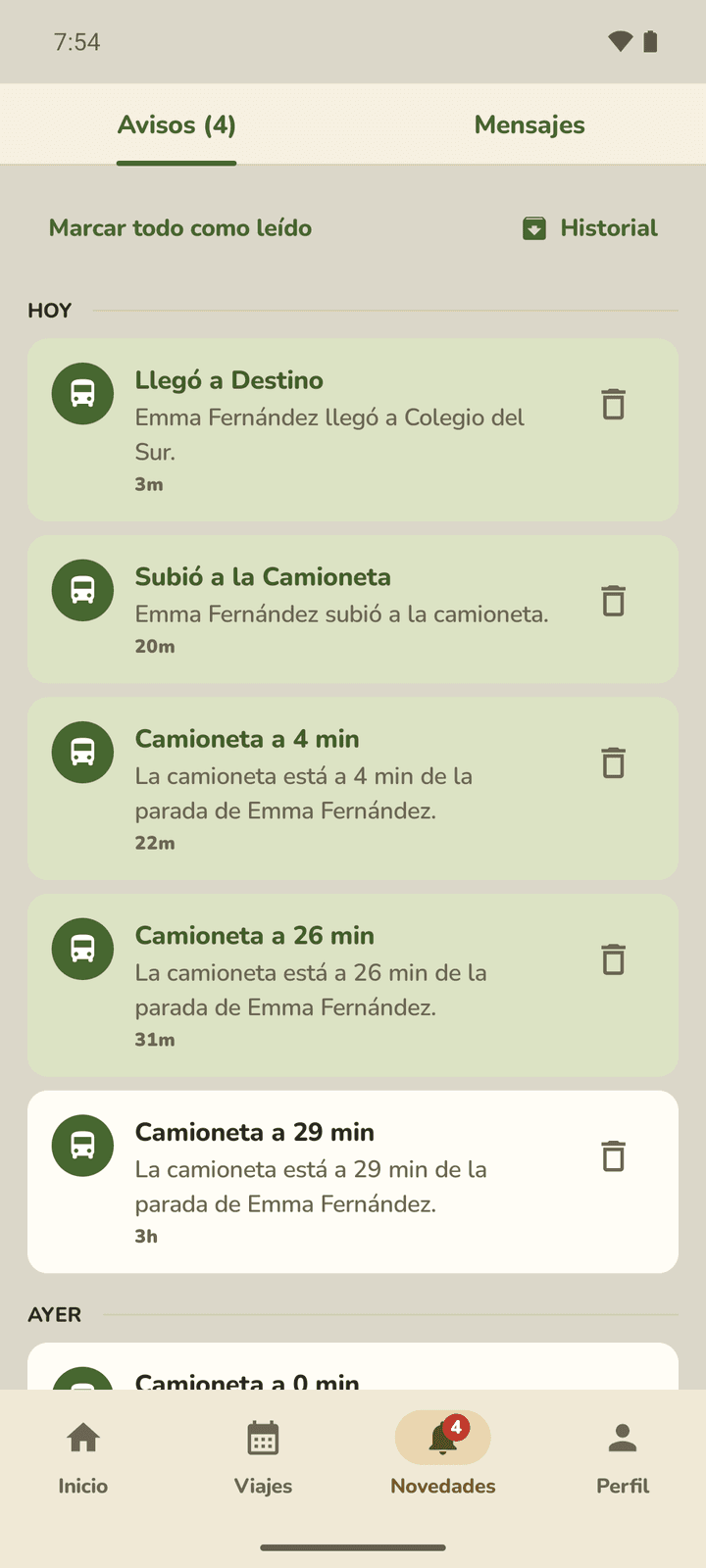
Te avisa sola
Cuando el viaje sale, cuando la camioneta está por llegar, cuando tu pasajero sube y cuando llega. Sin escribirle a nadie.
Avisar que hoy no viaja: dos toques
Elegís el viaje y el motivo, y el transportista lo recibe al instante. También podés pedir que ese día lo recojan o lo dejen en otra dirección.
Avisar que hoy no viaja: dos toques
Elegís el viaje y el motivo, y el transportista lo recibe al instante. También podés pedir que ese día lo recojan o lo dejen en otra dirección.
Ves la camioneta cuando importa, no todo el viaje
El mapa se activa cuando la camioneta está a unos minutos de tu parada y sigue hasta que tu pasajero baja. Si el mapa dice que la ubicación no está disponible todavía, no es un error: todavía no es el momento de tu parada.
Cómo funciona la ventana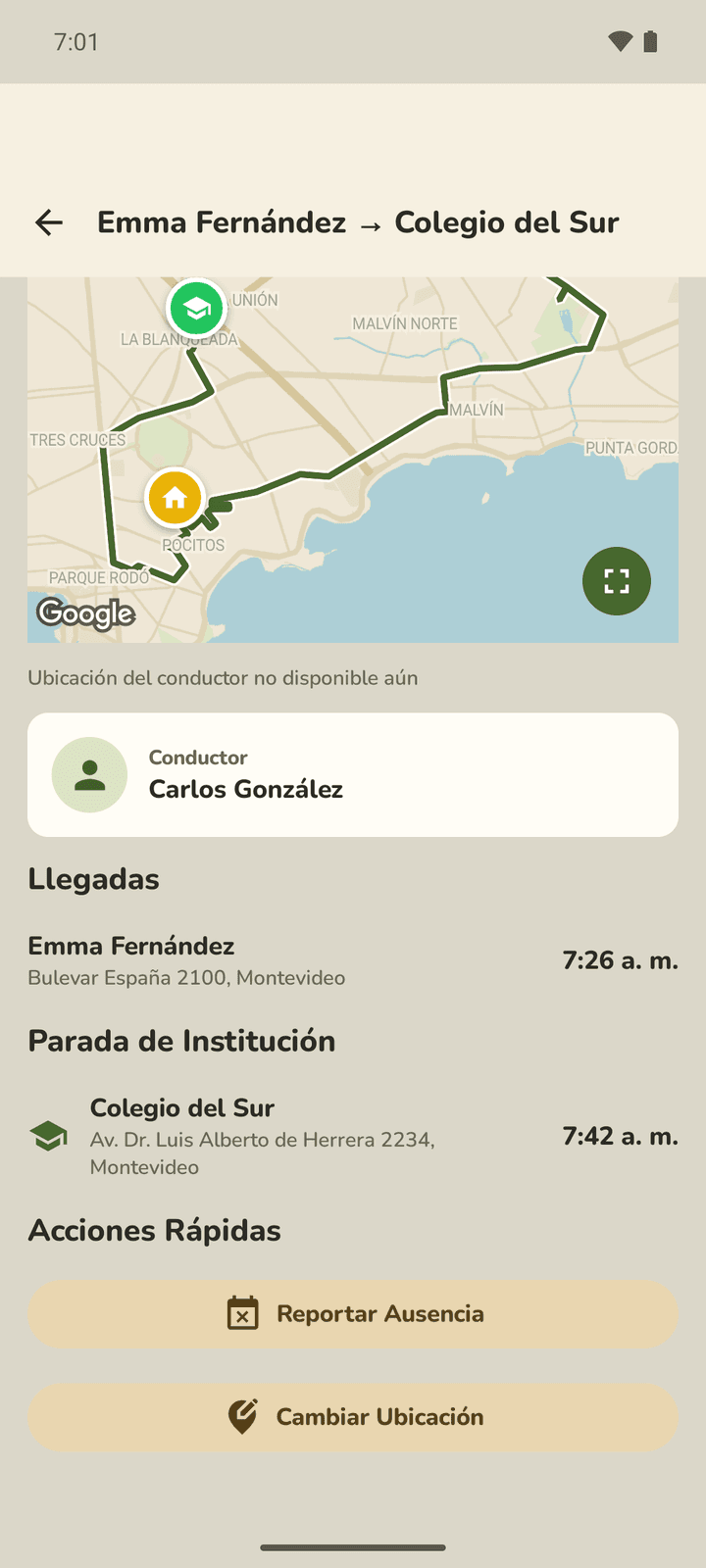
Ves la camioneta cuando importa, no todo el viaje
El mapa se activa cuando la camioneta está a unos minutos de tu parada y sigue hasta que tu pasajero baja. Si el mapa dice que la ubicación no está disponible todavía, no es un error: todavía no es el momento de tu parada.
Cómo funciona la ventanaCómo Funciona
Comenzá en tres simples pasos
Te invita tu transportista
Te manda un link desde su app. Con eso creás tu cuenta, que queda vinculada a sus recorridos.
Cargás tu dirección
Es la parada que usa el transportista. Podés tener una de ida y otra de vuelta.
Seguís cada viaje
La camioneta en el mapa cuando está por llegar, y los avisos solos: salió, está cerca, subió, llegó.
Vanu lo activa tu transportista
¿El tuyo todavía no lo usa? Avisale. Te abrimos el chat con el mensaje ya escrito: elegís a quién se lo mandás.
Avisarle por WhatsApp